Developer News
Design Tools Are The New Design Deliverables
Design projects used to end when "final" assets were sent over to a client. If more assets were needed, the client would work with the same designer again or use brand guidelines to guide the work of others. But with today's AI software development tools, there's a third option: custom tools that create assets on demand, with brand guidelines encoded directly in.
For decades, designers delivered fixed assets. A project meant a set number of ads, illustrations, mockups, icons. When the client needed more, they came back to the designer and waited. To help others create on-brand assets without that bottleneck, designers crafted brand guidelines: documents that spelled out what could and couldn't be done with colors, typography, imagery, and layout.
But with today's AI coding agents, building software is remarkably easy. So instead of handing over static assets and static guidelines, designers can deliver custom software. Tools that let clients create their own on-brand assets whenever they need them.
This is something I've wanted to build ever since I started using AI image generators within Google years ago. I tried: LoRAs, ControlNet, IP-Adapter, character sheets. None of it worked well enough to consistently render assets the right way. Until now.
LukeW Character MakerSince the late nineties, I've used a green avatar to represent the LukeW brand: big green head, green shirt, green trousers, and a distinct flat yet slightly rendered style. So to illustrate the idea of design tools as deliverables, I build a site that creates on-brand variations of this character.
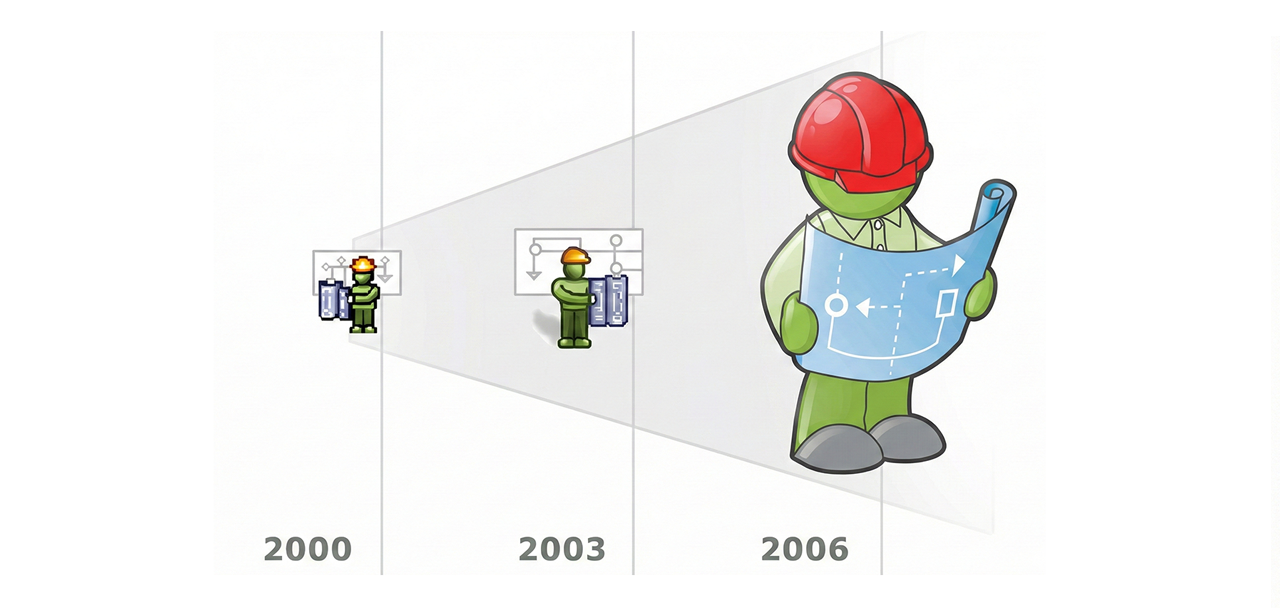
The LukeW Character Maker allows people to create custom LukeW characters while enforcing brand guidelines: specific colors, illustration style, format, and guardrails on what can and can't be generated. Have fun trying it yourself.
How It WorksSince most people will ask... a few words on how it works. A highly capable image model is critical. I've had good results using both Reve and Google's Nano Banana but there's more to it than just picking an image model.
People's asset creation requests are analyzed and rewritten by a large language model that makes sure the request aligns with brand style and guidelines. Each generation also includes multiple reference images as context to keep things on rails. And last but least, there's a verification step that checks results and fixes things when necessary. For instance, Google's image generation API ignores reference images about 10-20% of the time. The validation step checks when that's happening and re-renders images when needed. Oh, and I built and integrated the software using Augment Code.
The LukeW Character Maker is a small (but for me, exciting) example of what design deliverables can be today. Not just guidelines. Not just assets. But Tools.
HTTP Archive 2025 Web Almanac
I love me some good web research reports. I’m a sucker for them. HTTP Archive’s Web Almanac is one report I look forward to every year, and I know I’m not alone there. It’s one of those highly-anticipated publications on the state of the web, chock-full of well-documented findings about millions of live websites — 17.2 million in this edition! — from page content, to performance, to accessibility, to UX, to… well, let’s just get to it.
It just came out, so there’s no way I’ve read through all 15 chapters, let alone digested and reflected on everything in it. Really, I just want you to be aware that it’s out. That said, it’s hard for me to resist sharing at least a few notable stats that hit me and that I’ll be sure to dig into.
Some highlights:
- New text-wrap values are showing up! It’s small, but not surprising for features that only shipped as far back as 2023. Specifically, I’m looking at the balance (2.67%) and pretty (1.71%) values.
- Variable fonts are no longer a novelty. “How popular are variable fonts? This year, 39.4% of desktop websites and 41.3% of mobile websites used at least one variable font on their pages. In other words, now about 4 in 10 sites are using variable fonts.”
- Why can’t we nail down color contrast?! Only 30% of sites meet WCAG guidelines, and though that’s a number that’s trending up (21% in 2020), that’s a sorry stat.
- Removing focus styles is an epidemic. A whopping 67% of sights remove focus outlines despite WCAG’s requirement that “Any keyboard operable user interface has a mode of operation where the keyboard focus indicator is visible.”
- Many images are apparently decorative. At least, that’s what 30% of sites are suggesting by leaving the alt attribute empty. But if we consider that 14% of sites leave off the attribute completely, we’re looking at roughly 44% of sites that aren’t describing their visual content. On that note, your images probably are not decorative.
- ARIA labels are everywhere. We’re looking at 70% usage (29% on buttons). This doesn’t mean anything in and of itself. It could be a good thing, but could also be an issue without proper usage.
- The CMS landscape is largely unchanged. I mean, WordPress is still the dominant force, and that’s no dang surprise. At this point, its expansion wavers between a couple percentage points every year. “These changes suggest that WordPress is shifting from a focus on expansion to one on stabilization.” That’s a good thing.
- Bloat, bloat, bloat. “In July 2015, the median mobile home page was a meager 845 KB. As of July 2025, the same median page is now 2,362 KB. The page decade brought a 202.8% increase.” In a perfect world where we’re all super conscious about page weight, I’d say we oughta aim for less than half that total.
- JavaScript be heavy. Images are heaviest, of course, but 697 KB of JavaScript is a lot to stomach. That massive growth in page weight since 2015 is more support that this was a lost decade we must reckon with.
HTTP Archive 2025 Web Almanac originally published on CSS-Tricks, which is part of the DigitalOcean family. You should get the newsletter.
“I Heart CSS” DailyDev Squad
If you’re reading this, chances are you already have some sort of way that you’re following when we publish new content, whether that’s RSS, Bluesky, Mastodon, or what have you. But I know a lot of folks like to use DailyDev as well and, if that’s you, we have a couple of ways you can get our stuff there as well. There’s our channel that automatically pulls in new content. There’s also a community page — what DailyDev calls a “squad” — where we curate our content as well as other interesting CSS-y links of interest, called I Heart CSS.
See you there?
“I Heart CSS” DailyDev Squad originally published on CSS-Tricks, which is part of the DigitalOcean family. You should get the newsletter.
What’s !important #3: Popover Context Menus, @scope, New Web Platform Features, and More
The developer community hasn’t wasted any time kicking off 2026 with some really great articles, demos, and insights. Firefox 147 and Chrome 144 also shipped, and while they’re not jam-packed with features, the releases are still pretty exciting for what’s normally a slow time of year, so without further ado, here’s what’s important from the last couple of weeks (or should I say the first couple of weeks, of 2026?)…
Building popover context menus with anchor positioningChris Coyier (a familiar name, perhaps) shows us how to build context menus using popovers and anchor positioning over at Frontend Masters. Interest invokers, <menu>, discrete transitions, @starting-style, and fallback positions are also mentioned, so grab a pickaxe, because this one’s a bit of a goldmine.
Also, anchor positioning went baseline this week, so you can use it on production websites now! Do we have our CSS feature of the year already?
Scoping CSS with @scopeFunnily enough, I also got the opportunity to write something for Frontend Masters, and I went with @scope. @scope has been my most-anticipated CSS feature for quite a while now, and Firefox shipping it in their final release of the year (making it baseline) made it my feature of the year, so I’m very happy to kick off 2026 with this little how-to on using @scope and scoping CSS overall.
Generating gradient borders from an image sourceIn this demo, created and posted by Ana Tudor on Bluesky, Ana blurs an image and masks it with a border. You can actually accomplish this in Safari using just three lines of CSS, but the cross-browser solution isn’t too complex either (the key parts are the backdrop-filter and mask CSS properties).
Given the current popularity of gradients, blurs, and dare I say it, glass, it’s a pretty sweet effect that you can probably adapt for other scenarios.
Offset gradient border from img source – how would you get the result from the screen below? Real gap transparency, border gradient obtained from the image.
My solutions on @codepen.io:
Safari only in 3 declarations codepen.io/thebabydino/…
Cross-browser
codepen.io/thebabydino/…
#CSS #filter
[image or embed]
HTML, like CSS, is soooo good now. That being said, even though we’ve been getting all these new HTML elements that enable us to build interactive components without JavaScript, that doesn’t necessarily mean that we should. Stephen Margheim says that tab components are over-engineered most of the time, and explains why and what you can do instead.
A hot take after seeing yet another fancy tabs design: the classic "tab component" is over-engineered for 90% of use cases. You probably don't need it…
— Stephen Margheim (@fractaledmind.bsky.social) 3 January 2026 at 19:57 Using your OS as a CMSSpeaking of simplicity, Jim Nielsen introduced me to this incredibly cool OS-as-a-CMS concept as he explains how he got “Edit Post” buttons on his website to open the local document on his computer in iA Writer, completely negating the need for a CMS. Jim walks you through the whole thing, but the key ingredient is just a little link with a custom URL scheme:
<a href="ia-writer://open?path=posts:post.md">Edit</a>I love this because I also write in Markdown (using iA Writer, no less), and could will easily integrate this into my Eleventy build. But it got me thinking: do any other apps have their own URL scheme? Well, as it turns out, some of them do! Here’s an incomplete list (with examples of ‘edit’ commands for each app):
- Obsidian: obsidian://open?vault=posts&file=post
- VS Code: vscode://exact/path/to/post.md:9:1 (:9:1 is the line and column number)
- Ulysses: ulysses://x-callback-url/open-item?id=ITEM_ID
- Sublime Text (with subl protocol): subl://exact/path/to/post.md:9:1
- Apple Shortcuts: shortcuts://run-shortcut?name=Edit&input=/path/to/post.md (great for doing stuff with apps that don’t have custom URL schemes)
As you know (hopefully?), we post Quick Hits throughout the week. The best way to find them is in the sidebar of the homepage, and they’re either links to things that you can read in just a minute or two, or just PSAs to read and remember. Anyway, here’s what you might’ve missed:
- HTML Document Outline died (it was never really alive, to be fair)
- Scroll-fade didn’t die, but we’re hoping that it does
- Chris Coyier quickly explained how !important works with custom properties
- ReliCSS shipped, which helps you to replace any CSS hacks with @supports and modern CSS
- Temani Afif coded Mario World with CSS
Ready for the first cool demo of the year?
A mini Mario world with keyboard control. Yes, you can move Mario and also jump! 👀
Demo: codepen.io/t_afif/full/… via @codepen.io
✔️ 100% CSS Magic
✔️ Minimal HTML
❌ 0% JavaScript
A Chrome-only experimentation using modern CSS.
[image or embed]
And finally, here are my top picks from what Firefox and Chrome shipped on Tuesday:
- Firefox 147
- Anchor positioning (now Baseline!)
- View transition types (also Baseline!)
- Navigation API (a now-Baseline JavaScript API that replaces the History API and window.location)
- Chrome 144
- ::search-text (only Chrome supports this pseudo-element that selects highlighted find-in-page text)
- <geolocation> (only Chrome supports this HTML element that requests the user’s location declaratively)
- Temporal API (Chrome joins Firefox in supporting this replacement for JavaScript’s Date API, which Piccalilli wrote about)
Thanks for tuning in. I’ll see you in two weeks! Be there or be square (aspect-ratio: 1)!
What’s !important #3: Popover Context Menus, @scope, New Web Platform Features, and More originally published on CSS-Tricks, which is part of the DigitalOcean family. You should get the newsletter.
AI Enables As-Needed Software Features
In traditional software development, designers and engineers anticipate what people might need, build those features, and then ship them. When integrated into an application, AI code generation upends this sequence. People can just describe what they want and the app writes the code needed to do it on demand.
Reve's recent launch of Effects illustrates this transition. Want a specific film grain look for your image or video? Just describe it in plain language or upload an example. Reve's AI agent will write code that produces the effect you want and figure out what parameters should be adjustable. Those parameters then become sliders in an interface built for you in real-time.
Instead of having to find the menu item for an existing filter (if it even exists) in traditional software, you just say what you want and the system constructs it right then and there.
When applications can generate capabilities on demand, the definition of "what this product does" becomes more fluid. Features aren't just what shipped in the last release, they're also what users will ask for in the next session. The application becomes a platform for creating its own abilities, guided by user intent rather than predetermined roadmaps.
Playing With CodePen slideVars
Super cool new CodePen feature alert! You’ve probably seen a bunch of “interactive” demos that let you change values on the fly from a UI panel embedded directly in the demo. Jhey’s demos come immediately to mind, like this one:
CodePen Embed FallbackThat’s a tool called TweakPane doing the work. There’s another one called Knobs by Yair Even Or that Adam Argyle often uses:
CodePen Embed FallbackI’ve often faked it with either the Checkbox Hack or a sprinkle of JavaScript when I’m demoing a very specific concept:
CodePen Embed FallbackOK, enough examples because CodePen has a homegrown tool of its own called slideVars. All you have to do is import it and call it in the JavaScript panel:
import { slideVars } from "@codepen/slidevars"; slideVars.init();You can import it into a project off CodePen if you’re so inclined.
That two-liner does a lot of lifting. It auto-detects CSS variables in your CSS and builds the panel for you, absolutely-positioned in the top-right corner:
CodePen Embed FallbackIt looks like you have to declare your variables on the :root element with default usage. I tried scoping them directly to the element and it was a no-go. It’s possible with a manual configuration, though.
CodePen Embed FallbackPretty cool, right? You can manually configure the input type, a value range, a default value, unit type, and yes, a scope that targets the element where the variables are defined. As far as units go, it supports all kinds of CSS numeric units. That includes unit-less values, though the documentation doesn’t explicitly say it. Just leave the unit property as an empty string ("").
I guess the only thing I’d like is to tell slideVars exactly what increments to use when manually configuring things. For example, unit-less values simply increment in integers, even if you define the default value as a decimal:
CodePen Embed FallbackIt works in default mode, however:
CodePen Embed FallbackThere’s a way to place the slideVars wherever you want by slapping a custom element where you want it in the HTML. It’s auto-placed at the bottom of the HTML <body> by default.
<slide-vars> <p>Custom Label!</p> </slide-vars>Or CSS it by selecting the custom element:
CodePen Embed FallbackSo much fun!
CodePen Embed FallbackPlaying With CodePen slideVars originally published on CSS-Tricks, which is part of the DigitalOcean family. You should get the newsletter.
Postcard From Web Directions Dev Summit, 2025
Author’s Note: There are already wonderful recaps of the Web Directions Developer Summit I spoke at in November 2025. So, rather than offering another one, I decided to capture my experience at the conference in a stream-of-consciousness style that details my battles with stage fright and imposter syndrome. I haven’t seen this style used on a tech blog before, but CSS-Tricks has become my playground for experiments — not just with CSS, but with language itself — so let’s see where this experiment takes us.
ArrivalWhen I was a kid, there used to be a Museum railway station in Melbourne, Australia. In 1995, it changed its name to match the shopping center above it — a microcosm of how the mentality of my home city has shifted — but Sydney still has a Museum station. The aesthetics of Sydney’s Museum Station evoke London Underground vibes as my train from Sydney Airport stops under Hyde Park, the oldest public park in Australia and the first to be named after its more famous London counterpart.
Britain’s on my brain because I want this trip to resemble the Harry Potter stories: the wish-fulfillment narrative of discovering you have special powers and are chosen. In truth, the way I was selected to speak at the Web Directions Dev Summit this year wasn’t so spontaneous.
The organizer, John Allsopp, recommended my article “How to Discover a CSS Trick” on his reading list and connected with me on LinkedIn. I took the opportunity to pitch via direct message for a talk about scrolling since the proposal form on the Web Directions website felt comparatively impersonal. But now, what feels impersonal and daunting is the parallel-universe version of a train station that doesn’t exist back home except in my memory. Stepping onto the platform like an eleventh-hour rehearsal for the stage, I feel less like the Harry Potter of CSS and more like I’ve signed up to be a novelty museum exhibit. Step right up and laugh at the middle-aged dude who writes bizarre articles featuring a fictional seller of haunted CSS tricks who cursed him to overuse CSS for everything.
The spooky CSS shopkeeper is a figment of my imagination based on watching too many Simpsons reruns — but now I’ve manifested a real-life froghurt situation: a free conference ticket and trip to Sydney in exchange for embarrassing myself in front of the largest audience I’ve ever spoken to.
I procrastinate preparation by sitting down for frozen yoghurt in the Sydney CBD. The froghurt is yummy, but cursed by the cloud of anxiety following me around on this sunny day. So I’ll procrastinate describing my own talk to you by first sharing a few of my favorites from others.
Day OneI’ve arrived and the event kicks off.
Welcome: John AllsoppThe moment John takes the stage, I’m struck by his showmanship in subverting assumptions about his enthusiasm for tech. He opens by saying he feels ennui with web development, yet hopes the lineup over the next two days might snap him out of his pessimism about the web’s future.
It’s the conference equivalent of the literary technique of a frame story: He positions himself as a weary sage who will reappear after each talk for Q&A — and yet, as someone who predates PCs, he has greyed like an unavailable option on a computer screen. He fears he has seen too much to feel optimistic about the future of the web he helped to build.
He says front-end development has reached a “local maximum,” borrowing a term from calculus to explain how the tools that got us here have flattened our rate of change. The productivity boost is offset by the ways our tools limit imagination. Our mental models make it easy to build the same websites again and again, keeping us out of touch with what modern browsers can do.
He cites the View Transitions API — available as a progressive enhancement since 2023 — as an example of a native browser superpower that could subvert the SPA model, yet remains only experimentally supported in React.
The dramatic context for the next two days is now set. The web sucks, but prove him wrong, kids.
“The Browser Strikes Back: Rethinking the Modern Dev Stack” by Jono Alderson“You’re gonna hate me,” says the keynote speaker Jono Alderson at the top of his talk on rethinking the modern dev stack.
He argues that frameworks like React are Rube Goldberg machines built around limitations that no longer exist. He compares them to Netflix’s DVD-by-mail era: We’re still sending discs when we could be streaming.
He runs through browser capabilities in 2025 that we routinely overlook when we reflexively reach for frameworks — and includes a teaser slide for my later talk on scroll timelines. I feel a sense of belonging and dread simultaneously, like passing the chicken exit on Space Mountain.
In the break, Jono admits to me that he was nervous about triggering anger by bashing frameworks. I hope the audience is warming to favoring the platform, because my talk shares that same underlying spirit, albeit through the specific example of CSS Scroll-Driven Animations. It helps that Jono served as frontline fodder, since research shows that everything sounds more credible with a British accent, even if Jono’s was slightly slurred from jet lag.
Whether he’s right about nuking frameworks or not, it’s healthy to reassess whether we need a dependency list longer than our screen port. I first questioned this in 2015 after watching Joe Gregorio argue we should stop using frameworks and rely on the platform — a talk that, in hindsight, looked suspiciously like guerrilla marketing for Google Polymer. I adopted Polymer for a major project. It was more like a framework than a library, but with the “bonus” of not being battle-tested like React: it had its own weird build process, reliance on a browser feature that never became a standard, and a promised future that never arrived. I ended up rewriting everything. Eventually, Polymer itself was quietly put out of its misery.
Even so, I love the idea of web components: transforming the browser into something built for the way we already force it to behave. A decade later, has the situation improved enough to yarn remove React? The answer may go beyond browser capability in 2025.
Over coffee, Jono and I discuss how LLMs are trained on oceans of React, reinforcing the assumption that every web app must be an SPA. Escaping React is harder than ever when the future of work is dragging us back into the past, much the way recommendation algorithms on social media trap us in our own echo chambers.
“It’s only gonna get worse,” says Jono.
And I guess it will, unless we start creating good examples of what browsers can do without dependencies.
“Supercharged Scrolling With CSS” by Me Photo credit: Kris HowardIt’s debatable whether you should admit you’re nervous while giving a talk. Most say you shouldn’t. The balance I strike is to open with a self-deprecating joke as a way to get the scrolling discussion rolling.
“I have a feeling some of you might be scrolling on your devices as we speak, so I urge you to look up — and let’s scroll together for the next half hour.”
It gets a laugh. It’s a moment where I translate my CSS-Tricks article style — self-referential, breaking the fourth wall — into something that works on stage. This is my challenge for the talk: How do I adapt a year’s worth of articles about my autistic special interest into thirty minutes?
It brings to mind the movie Adaptation, where Nicolas Cage plays a screenwriter with imposter syndrome trying to adapt an unfilmable book into the movie we’re watching. Unlike my articles, I decide I shouldn’t launch abruptly into the crazy CSS experiments I built in my basement.
First, I need to answer why me, this random guy, thinks scrollytelling warrants half an hour of the audience’s time. I can’t assume much about this audience. Kris Howard will later comment on her blog that “Lee Meyer’s session introduced me to a new term – scrollytelling.”
I borrow credibility from The New York Times, name-checking its high-profile examples of scrollytelling, one of which won a Pulitzer Prize. John helpfully drops the link to the “Snow Fall” article into the livestream chat, just as I’d add links if this were an article.
But there’s another element of my writing that doesn’t translate: long code snippets. They’re too complex to explain on stage. Doing so would be a suicide mission. Let’s do it anyway.
I’ve used reveal.js in the past for an online presentation at Games For Change, and reveal.js supports automatic animations between code blocks. I use that to demonstrate how newer CSS syntax can drastically shorten code. It doesn’t matter that nobody can fully parse the old syntax at a glance; that’s the point of the animation. I ask for a show of hands for who would rather write the new syntax than the old?
Adapting my articles for the stage is my opportunity to rewrite history to appear logical. The order of discovery of the building blocks I will use for my final demo appears intentional rather than the chaotic trail I have been leaving across CSS-Tricks since 2024. But now it’s time to tackle the final demo like the boss battle it is.
I ask for a show of hands: Should I fight the bad guy unarmed, or run away? The audience is split evenly, which is the one outcome I didn’t plan for.
In Adaptation, when Cage’s character is running out of time to finish his script, he panics and seeks advice from screenwriting guru Robert McKee, who tells him: Your story can be flawed throughout, but wow them in the end, and you’ve got a hit. As much as I’m my own worst critic, I know I have something with this final demo, the kind that would make a leader on the Google Chrome team tweet “Wow!” That tweet hasn’t happened yet while I’m on stage, as I’m wondering how this crowd will react.
I let the bad guy kill the hero first. I make the antagonist seem unbeatable. Then I refresh, scroll in the opposite direction, climb a ladder, collect a lightsaber, and kill the bad guy.
McKee warned Cage’s writer character not to cheat at the end with a deus ex machina. A magic lightsaber to save the day feels like one for sure, but by a stroke of synchronicity, Star Wars imagery has been appearing in talks all day. John Allsopp even joked that it’s a theme he didn’t get the memo about. I reference this overarching theme, and the lightsaber feels earned. The pixel art guy kills the bad guy with one blow. The applause is loud enough to be heard on the livestream, even though the audience isn’t miked.
Can we end on that high note? Research shows that time dilates for people onstage with high public-speaking anxiety. Ironically, in a talk about controlling timelines, I realize I’ve lost control of the time, and I’m about to run out of slides too early.
So, I replay the demo and discuss its subtext. The scrollytelling pixel guy can be a novelty toy or he can be ergodic literature, an autobiographical allegory. I refresh again. “Scroll left or right to flee or fight,” says the pixel art guy. I explain the deeper psychological truth behind the simplistic story and retro graphics.
“You can tell them anything if you just make it funny, make it rhyme, and if they still don’t understand you, then you run it one more time.”
— Bo Burnham in “Can’t Handle This” View Slides Happy Hour and Speaker DinnerEvery autistic person should receive a voucher that grants them access to one social situation where people come and talk to them about the thing they are obsessed with. One piece of feedback in particular made me feel seen: Someone tells me a more traditional tutorial would have been fine, but the direction I took was playful, which felt refreshing in a world where discussions of web development can become depressingly utilitarian. He doesn’t know that the first blog I ever created was playfulprogramming.com, so I’ve always been about finding joy in development.
Someone else told me it was their favorite talk in the conference, and that I was brave for embracing my Jewishness publicly by mentioning the Torah as an illustration of the meaning of scrolling to me. Given what happened in Sydney a month after I left, it may not have been bravery so much as my obliviousness to the current vibes in my country, since I am a more frequent reader of CSS-Tricks than the news.
Day TwoThe Sydney weather cools, mirroring my more chilled mood today. With my presentation behind me, I now walk toward the venue like an anonymous attendee who magically got a free ticket. I brace myself for a morning of AI-heavy talks. My year at work was an AI overdose.
“What’s Beyond the Browser: The AI Platform Shift” by Rupert ManfrediWalking to the University of Technology Sydney, the combo of venue and theme reminds me of John Barth’s Giles Goat-Boy, in which the world is represented as a university controlled by an AI. Authorship itself is disputed in the fictional preface, with both Barth and the AI claiming only to have edited the work — eerily prescient in 1966 of the state of work in 2026. AI is great until there’s a defect. Then humans blame the AI, and the AI blames humans for misunderstanding its limits.
The novel satirized the Cold War. A Marxist might say intellectual property can’t exist because creative work is always a product of the zeitgeist. Although the tech that Rupert Manfredi’s demos blurs the lines of authorship by doing away with discrete apps and websites and composing UIs to meet the user’s needs on the fly, he is probably not a commie. He suggests that creators would still get paid. Perhaps this will finally be the day in the sun for HTTP 402 Payment Required.
Rupert’s talk, “What’s Beyond the Browser,” is daring. He demos “Telepath,” a prototype computer with no browser and no apps. He envisages that future developers will transfer their skills to create only fragments and services that AI can synthesize into a tailored user experience. He argues web development has never really been about learning React hooks, but about solving user problems: critical paths, information quality, and creativity. These are more fundamental to a developer’s skillset than any tools they happen to use.
That resonates with how I think about my work on CSS-Tricks: They are fragments of expression that gain meaning when woven into a larger tapestry by the people or machines who learn from them. If basic functionality becomes trivial, developers can focus on the problems nobody has solved yet.
“A False Sense of Accessibility: What Automated Testing Tools Are Missing” by Beau VassAs I mentioned before, I am autistic. So are my kids. It’s an invisible disability, and I’m careful to let the kids know the world won’t rearrange itself around our autism. Just as you can’t make something accessible to everyone, you can’t make the accessible experience the same as everyone else’s any more than you can make it easy for my son to succeed in a school system that was never designed with neurodiverse people in mind.
Accessibility is often less about universal comfort than about ensuring there’s a viable path for the people who truly need the content. When you think about it, the users’ faculties are part of the platform. Accessibility is, therefore, as fundamental as browser compatibility.
In his talk, “What Automated Tools Are Missing,” speaker Beau Vass demonstrates how automated audits flag non-issues while missing critical failures, sometimes making accessibility worse when followed blindly. A decorative image without alternative text might be flagged, yet adding it could also actively harm screen-reader users. The problem isn’t automated tools themselves; it’s when passing a Lighthouse audit becomes the goal. Tools only recognize what they’re taught, and AI trained on a broken web will faithfully reproduce its mistakes. As one of my workmates likes to say: “Use your tools, but don’t let them turn you into a tool.”
Accessibility isn’t a froghurt topping. It can’t be added at the end, not even in principle. The responsibility is shared across design, content, engineering, and testing, and it requires direct input from people with disabilities. Accessibility may be subjective, but making the web accessible should still be easier than making the physical world accessible. When we fail, it’s another reminder that tooling alone won’t save us.
AI won’t solve accessibility, but it may become useful once we stop asking it to. There aren’t enough good examples on the web for models to learn from, which means we can’t expect Claude Code to fix our sites. That said, AI can already simulate how a screen reader user might attempt to complete a task and surface where friction occurs. BrowserStack does this already. Ironically, it may be easier for a machine to put itself in the shoes of a disabled human than for a non-disabled human to do the same, and Beau believes it won’t be AI that changes the game, but laws and regulations requiring people to care about accessibility. Beau believes it’s more laws and regulations that will be a game-changer for accessibility than AI.
DepartureAll flights are delayed an hour, as if Sydney itself is resisting my return to Melbourne — and the end of this article. But back when I was young and teaching myself to write, I read a book about writing articles that said the more a piece seems to be about everything, the more it’s about nothing. Soon, we must end the article.
It ends with me waiting to take flight, thinking about how Chris Coyier once said his greatest pride wasn’t a single moment of accomplishment, but the “aggregate moments” of sustained focus on his professional passions. The afterglow of this conference is the sum of a year obsessing over animation timelines — and what you’ll do with the knowledge if I end this article at the right moment.
But does that magical moment even exist? Animation timelines work because we can pause motion on a screen. But if we could do that in real life, then, according to Zeno’s arrow paradox, my plane could never land. At every bullet-time instant, the plane would appear at rest, which would make all movement — including my entire journey — an illusion.
John Allsopp worried that the web itself might be stuck in that illusion of progress. But Aristotle answered Zeno’s arrow paradox by saying discrete instants of time don’t exist, only the flow of time. Reality is made of the aggregate moments that Chris Coyier said have meaning to him. As I wait for a plane that seems incapable of landing, my phone buzzes with my favorite feedback from the conference: a graduate developer amazed by “the scroll section in the Dev Summit.” I love that he calls it a section, not a talk, as if it blended seamlessly into a two-day narrative flow, foreshadowing a future web that unfurls like an infinite scroll.
“This story will never end. This story ends.”
— John BarthPostcard From Web Directions Dev Summit, 2025 originally published on CSS-Tricks, which is part of the DigitalOcean family. You should get the newsletter.
